Pomodoro session 데이터의 흐름
Server에서 Client로
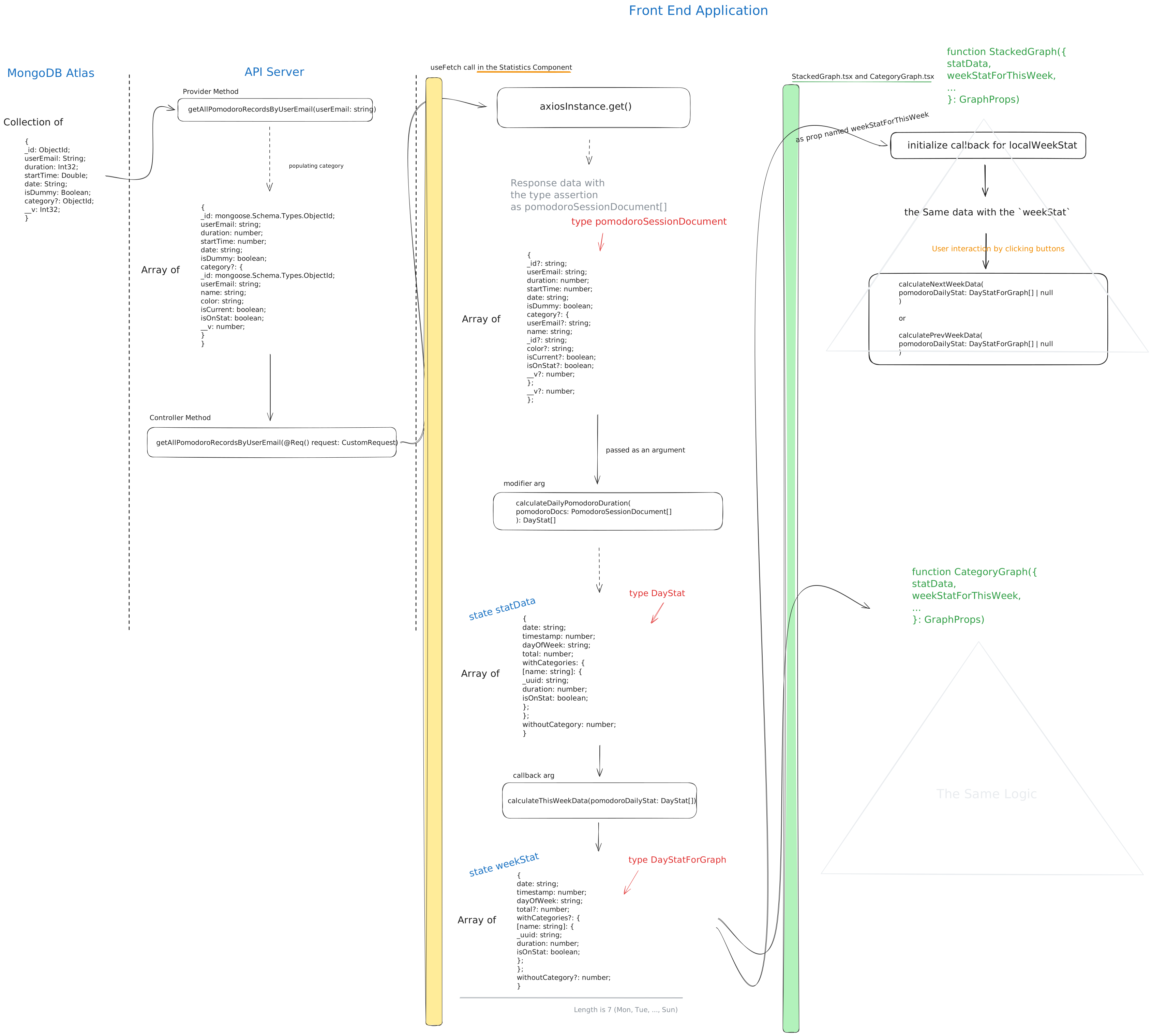
MongoDB에서 시작해서 /statistics 페이지에 이르기까지 데이터가 어떻게 가공되는지 전반적인 설명.
MongoDB
다음과 같이 정의된 schema (nest-mongoose)에 의해 만들어지는 document object들이 한 collection을 이룬다.
@Schema()
export class Pomodoro {
  @Prop({ required: true })
  userEmail: string;

  @Prop({ required: true })
  duration: number;

  @Prop({ required: true })
  startTime: number;

  @Prop({ required: true })
  date: string;

  @Prop({ default: false })
  isDummy: boolean;

  @Prop({ type: mongoose.Schema.Types.ObjectId, ref: "Category" })
  category?: ObjectId;
}
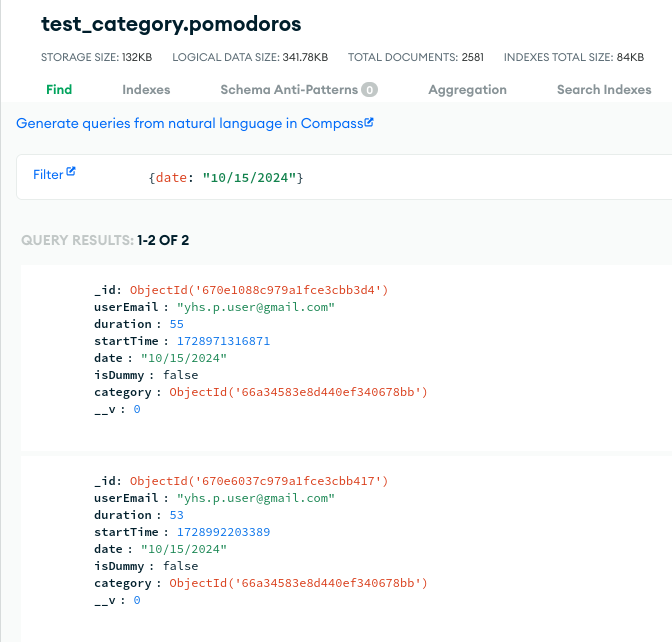
실제 서버에 저장된 document.
API Server
다음과 같은 함수에 의해 MongoDB에 있는 데이터가 API Server로 옮겨지고 population의 과정을 거친 후 Client로 보내진다.
Controller
  @Get()
  async getAllPomodoroRecordsByUserEmail(@Req() request: CustomRequest) {
    return await this.pomodorosService.getAllPomodoroRecordsByUserEmail(
      request.userEmail,
    );
  }
Provider
  async getAllPomodoroRecordsByUserEmail(userEmail: string) {
    const categories = await this.categoryModel.find({ userEmail }).exec();

    const cateInfoForStat = categories.reduce<
      { name: string; color: string; isOnStat: boolean }[]
    >((previousValue, currentValue) => {
      const { name, color, isOnStat } = currentValue;
      previousValue.push({ name, color, isOnStat });
      return previousValue;
    }, []);
    const pomodoroDocs = await this.pomodoroModel
      .find({ userEmail })
      .populate('category')
      .exec();

    return pomodoroDocs;
    return { pomodoroDocs, cateInfoForStat };
  }
Population
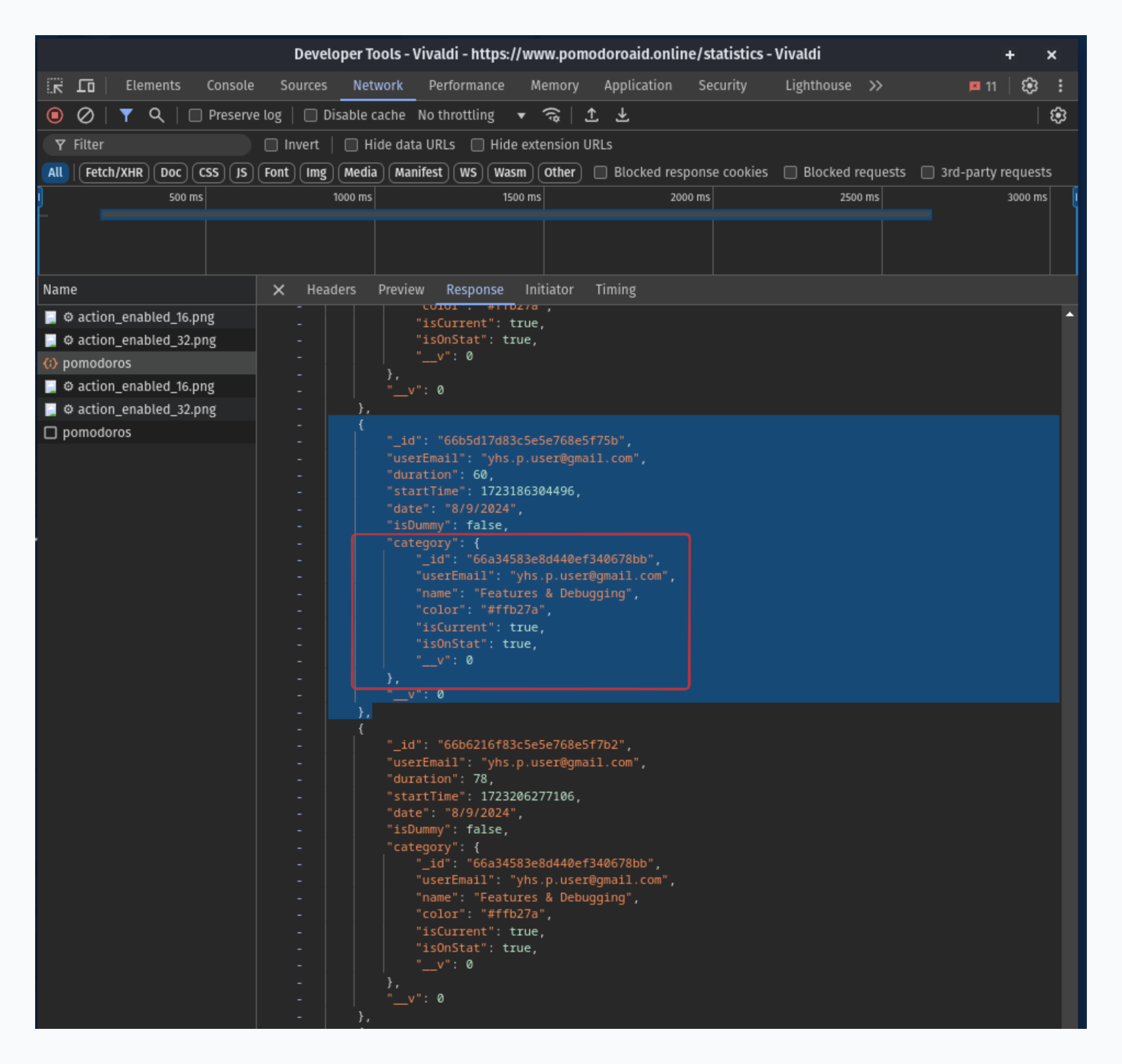
populate()에 의해 위의 category?의 ObjectId가 아래의 shcmea에 의해 정의되는 Category Object로 대체된 형태이다.
@Schema()
export class Category {
  @Prop({ required: true })
  userEmail: string;

  @Prop({ required: true })
  name: string;

  @Prop({ required: true })
  color: string;

  @Prop({ required: true, default: false })
  isCurrent: boolean;

  @Prop({ required: true, default: false })
  isOnStat: boolean;
}
아래처럼 웹브라우저 developer tools의 network tab에서 populate 된 형태를 확인할 수 있다.
Front End - state의 형태로 데이터 보관
States in the Statistics component
statData
useFetch()에 의해 HTTP 요청이 보내지고, 그것에 대한 Response를PomodoroSessionDocument[]의 형태로 받아낸다.- 그리고 modifier argument가 존재하므로, 그것에 의해
PomodoroSessionDocument[]는DayStat[]으로 변환된다. useFetch()는 그 변환된 값을 return하고 그 값은Statisticscomponent에서의statDatastate으로 저장된다.
const [statData, setStatData] = useFetch<PomodoroSessionDocument[], DayStat[]>({
  urlSegment: RESOURCE.POMODOROS,
  modifier: calculateDailyPomodoroDuration,
  callbacks: [calculateOverview, calculateThisWeekData],
});
export type PomodoroSessionDocument = {
  _id?: string;
  userEmail: string;
  duration: number;
  startTime: number;
  date: string;
  isDummy: boolean;
  category?: CategoryForStat;
  __v?: number;
};
- Modifier -
calculateDailyPomodoroDuration(pomodoroDocs: PomodoroSessionDocument[]): DayStat[]
export type DayStat = TimeRelated & DurationRelated;
type TimeRelated = {
  date: string;
  timestamp: number;
  dayOfWeek: string;
};

type DurationRelated = {
  total: number;
  withCategories: CategoryStat;
  withoutCategory: number;
};
- Modifier in the
useFetch()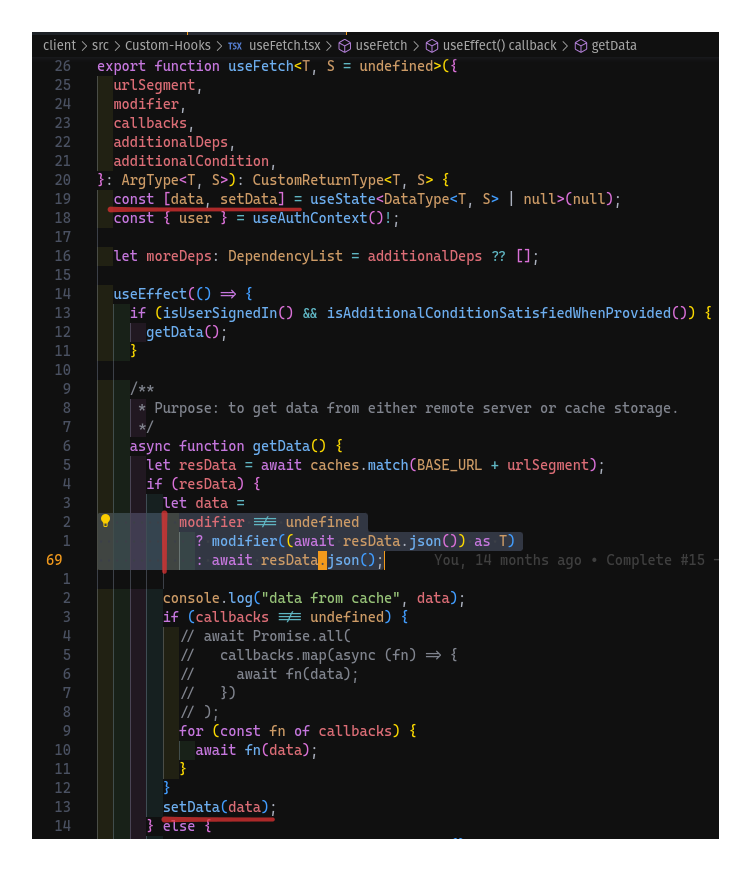
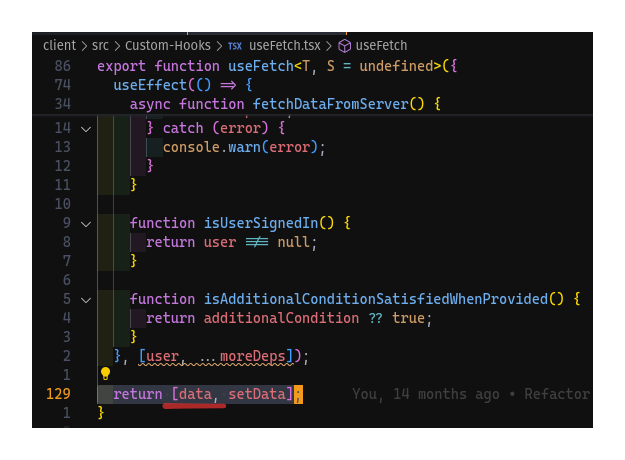
weekStat
const [weekStat, setWeekStat] = useState<DayStatForGraph[]>(init);
// The total is optional since there might be some weekdays not coming yet.
// e.g. If today is Thu, the remaining three days should not have total properties
//      so that the area chart can only show data until today.
export type DayStatForGraph = TimeRelated & Partial<DurationRelated>;
- 어떤 한
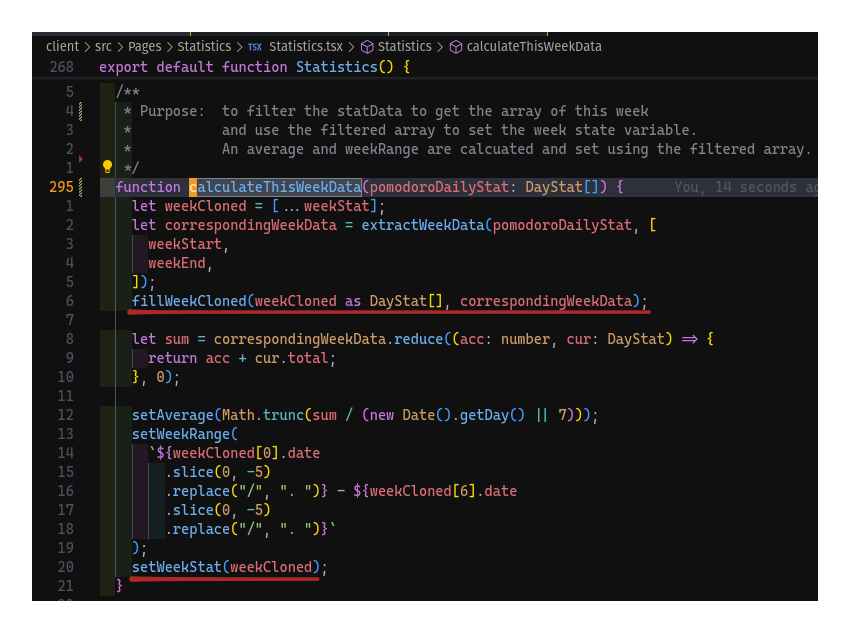
주에 관한 통계이므로,statData에서 그주에 해당되는 값들만 잘라내야 한다. - 그렇게 하기 위해,
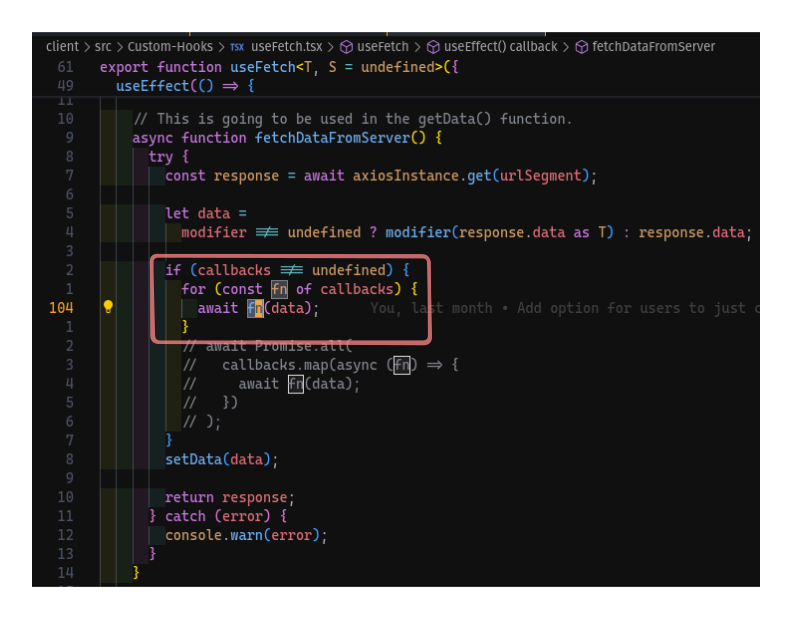
DayStat[]을 argument로 받는calculateThisWeek()함수를useFetch()의 callbacks argument로 보낸다. useFetch()내부에서 callback함수는statData가 될data를 이용해서 적절한 계산을 수행한 후에, 얻어낸 한주의 통계를 이용해setWeekStat()을 호출한다.

States in the StackedGraph and CategoryGraph components
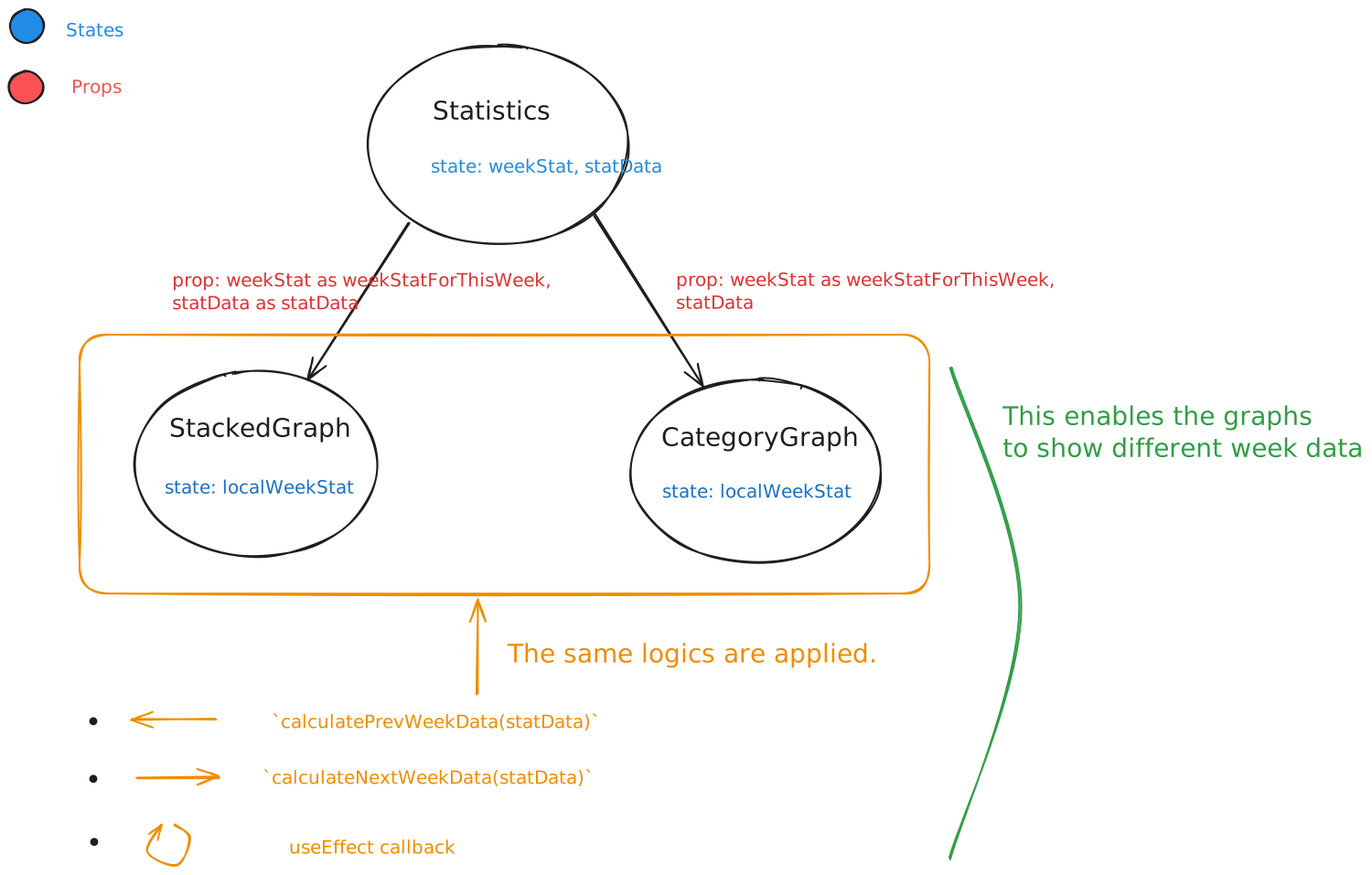
- 각자 week data를 저장하기 위한 state를 가지고 있지만, 다음과 같이
Statisticscomponent로부터 초기값을 prop으로 받아온다. - 그래프 우측 상단에 있는 두개의 화살표를 클릭하면 다음 주 혹은 이전 주의 데이터를 보여주기 위해
statDataprop을 이용해 새로운 week data값을 계산한다. - Parent component에서
statData자체에 변화가 있을 경우, 그것을 그래프에 반영하기 위해useEffect를 이용한다.